
HyperCPU
Real-time macOS CPU, GPU, thermal, power, and kernel resource monitor for Apple Silicon and Intel workstations.
TestFlight · v1.1.1
Platforms:
macOS 14.0+iOSUniversal2 (arm64 + x86_64)SwiftUI
Application Screenshots
Captured on macOS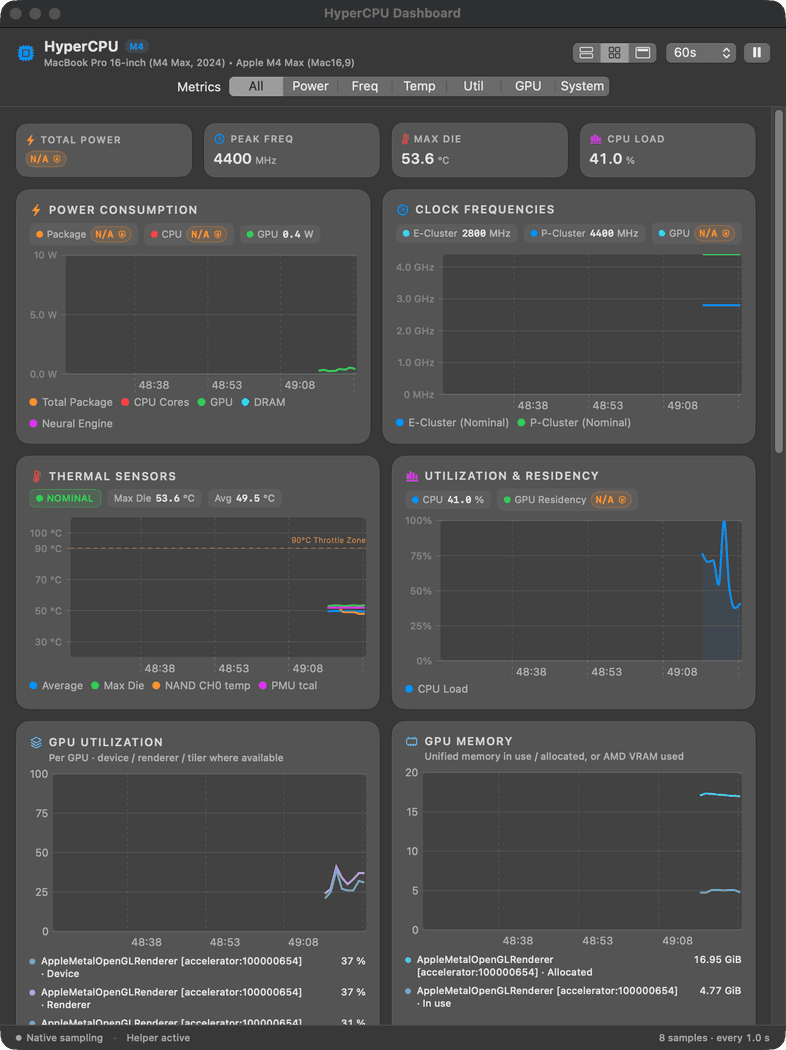
Key Features
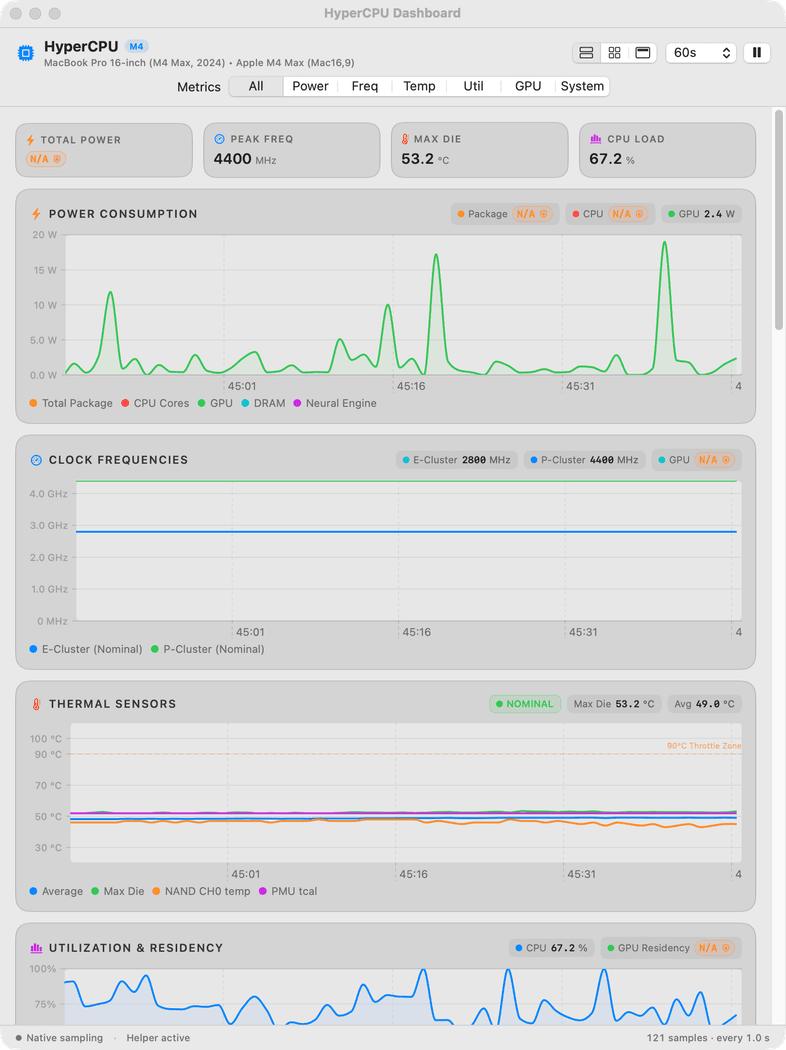
- Live per-core Performance (P-core) and Efficiency (E-core) utilization, clock residency, and cluster activity bars
- Real-time SoC package power draw (Watts), thermal pressure state, and GPU active residency telemetry
- Unified memory pressure, wired/compressed pages, swap churn, and kernel file-descriptor / vnode counters
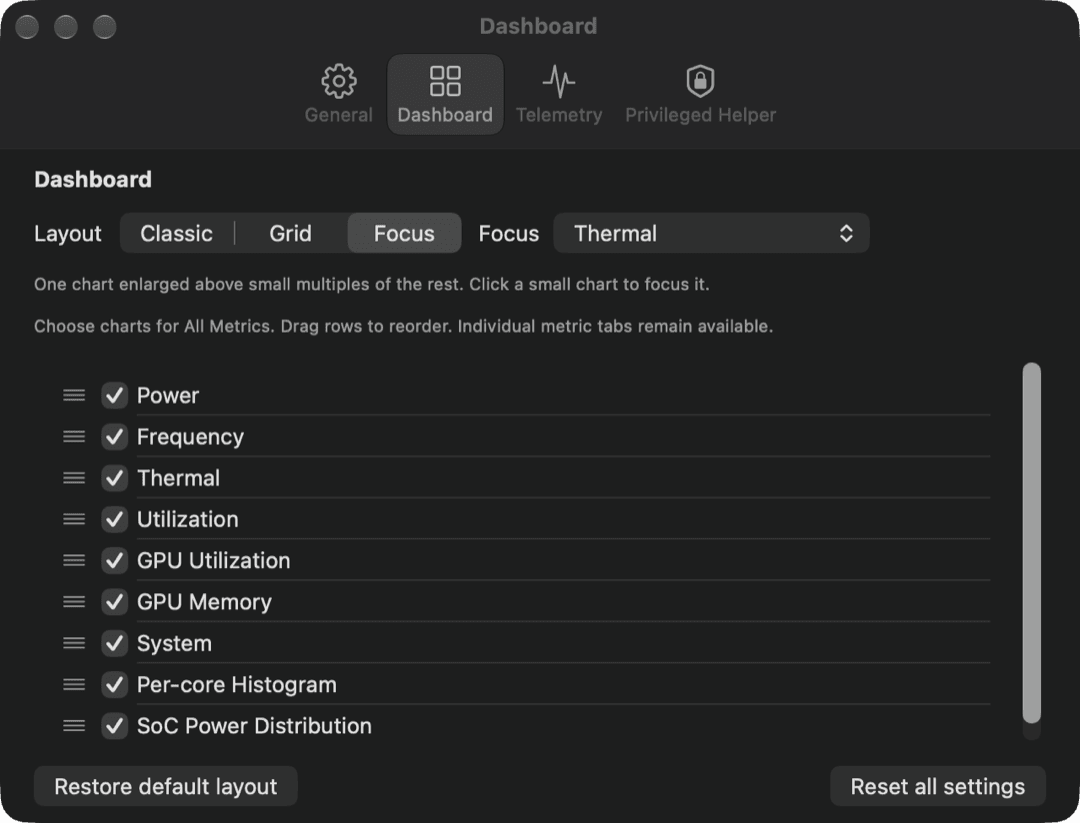
- Switchable Classic and 2-Column Grid desktop dashboard layouts with draggable, reorderable metric panels
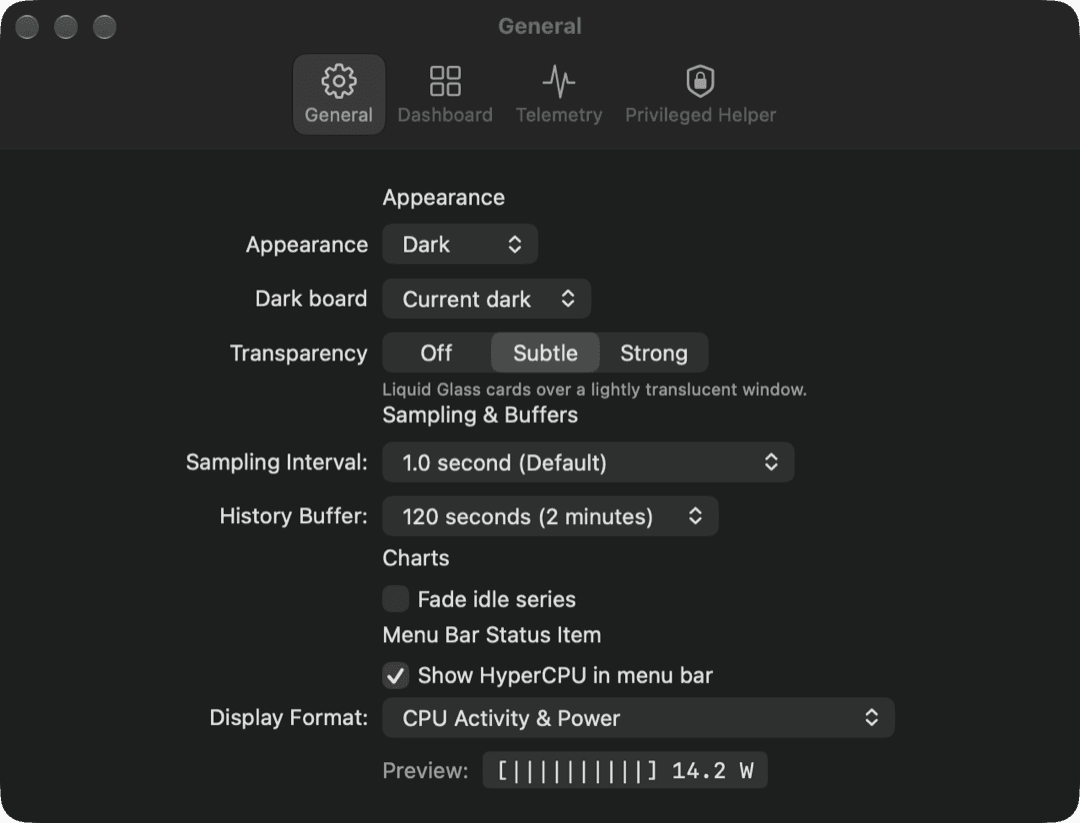
- Compact MenuBarExtra sparkline and numeric readout with customizable update intervals (0.5s to 10s)
- App Sandbox compliant with zero incoming or outgoing network entitlements
System Requirements
- Operating System
- macOS 14.0 (Sonoma) or later · Optimized for macOS 27.0 (Apple Silicon) & 26.7 (Intel)
- Architecture
- Universal2 binary (Apple Silicon arm64 & Intel x86_64)
- Code Signing
- Developer ID Application: east coast science, llc (ZU2882L4HT) · App Sandbox
- Storage & Memory
- 18 MB disk footprint · < 30 MB resident RAM
- Privacy & Network
- Zero network entitlements · All hardware readings remain strictly on-device
What's New
v1.1.1 (Build 21) ·- macOS: fixed a menu-bar label redraw loop that could hold a CPU core at 100% on macOS 27.
- macOS: added a Charts menu with layout shortcuts (Command-1, 2, 3), Show Charts, Restore and Pause or Resume.
- iOS: new History card charting CPU and memory, a System card, and thermal alerts at Serious or Critical.
- iOS: Home Screen and Lock Screen widgets for CPU, memory and thermal state; Siri and Shortcuts can read CPU, memory and thermal state.